|
|
Dember Database Design Home |
| ClaimsMagic Home |
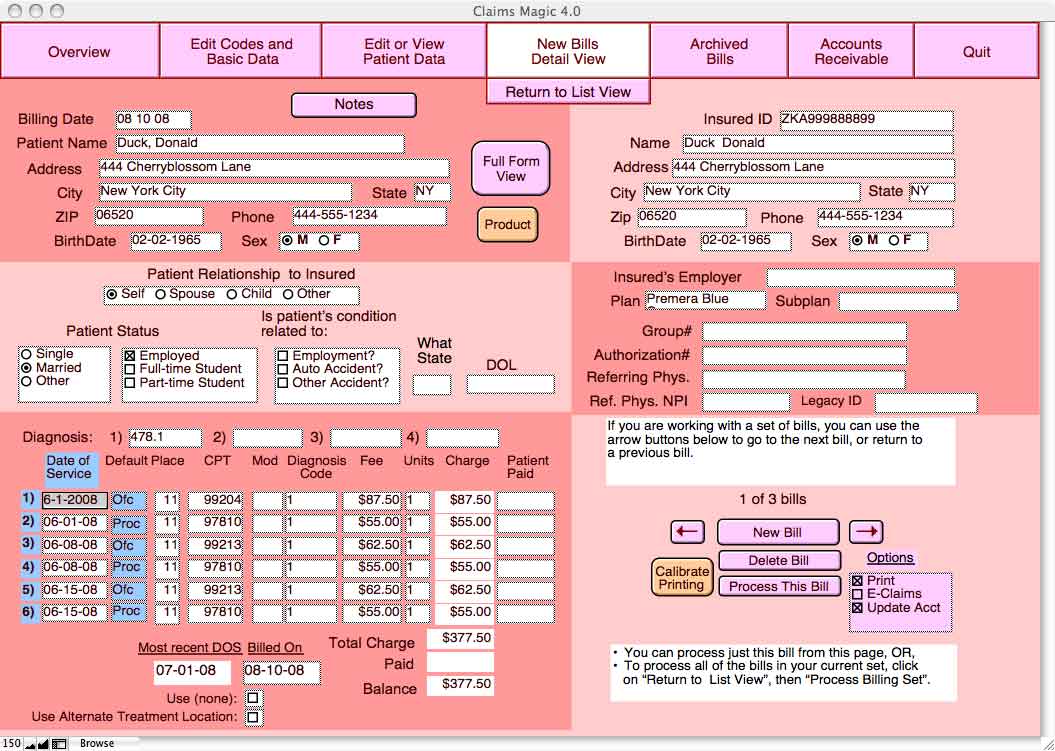
To generate bills all you have to do is pick a patient name and enter your dates of service -- ClaimsMagic will fill in everything else for you, based on the information stored in your Codes and Basic Data page and in your patient files. Depending on your instructions, ClaimsMagic will either process the bill for Electronic Claims, or will print the bill directly onto your CMS>-1500 form, all in the proper places. Or if you want, ClaimsMagic will print your data along with the CMS-1500 background image onto blank paper. Everytime a bill is printed, ClaimsMagic updates its Accounts Receivable Ledger to reflect the transaction. Just like with Patient Details, we have included only the most-often used fields on the primary Billing Details view, with the other fields included on a Full Form view.
|
|